Organisations & Enterprise
 Government
.png?width=20&height=20&name=icon%20(1).png) Universities
Universities.png?width=20&height=20&name=icon%20(2).png) Associations & Communities
Associations & Communities Increase Employee Engagement
.png?width=20&height=20&name=icon%20(3).png) Reduce Employee Turnover
Reduce Employee Turnover.png?width=20&height=20&name=icon%20(4).png) Provide Leadership Development
Provide Leadership Development.png?width=20&height=20&name=icon%20(5).png) Develop High Potentials
Develop High Potentials.png?width=20&height=20&name=icon%20(6).png) Boost Diversity, Equity & Inclusion
Boost Diversity, Equity & Inclusion.png?width=20&height=20&name=icon%20(7).png) Support Career Development
Support Career Development.png?width=20&height=20&name=icon%20(8).png) Drive Collaboration & Innovation
Drive Collaboration & Innovation.png?width=20&height=20&name=icon%20(9).png) Onboard New Staff & Graduates
Onboard New Staff & Graduates Brancher Mentoring Software
 Strengths & Values Analyzer
 Mentoring Program
 Reverse Mentoring
 Group Mentoring

 Organisations & Enterprise
 Government
.png?width=21&name=icon%20(1).png) Universities
Universities.png?width=21&name=icon%20(2).png) Associations & Communities
Associations & Communities Increase Employee Engagement
.png?width=21&name=icon%20(3).png) Reduce Employee Turnover
Reduce Employee Turnover.png?width=21&name=icon%20(4).png) Provide Leadership Development
Provide Leadership Development.png?width=21&name=icon%20(5).png) Develop High Potentials
Develop High Potentials.png?width=21&name=icon%20(6).png) Boost Diversity, Equity & Inclusion
Boost Diversity, Equity & Inclusion.png?width=21&name=icon%20(7).png) Support Career Development
Support Career Development.png?width=21&name=icon%20(8).png) Drive Collaboration & Innovation
Drive Collaboration & Innovation.png?width=21&name=icon%20(9).png) Onboard New Staff & Graduates
Onboard New Staff & Graduates Mentoring Software
 Strengths & Values Analyzer
 Peer Mentoring
 Reverse Mentoring
 Group Mentoring
 HR Mentoring Program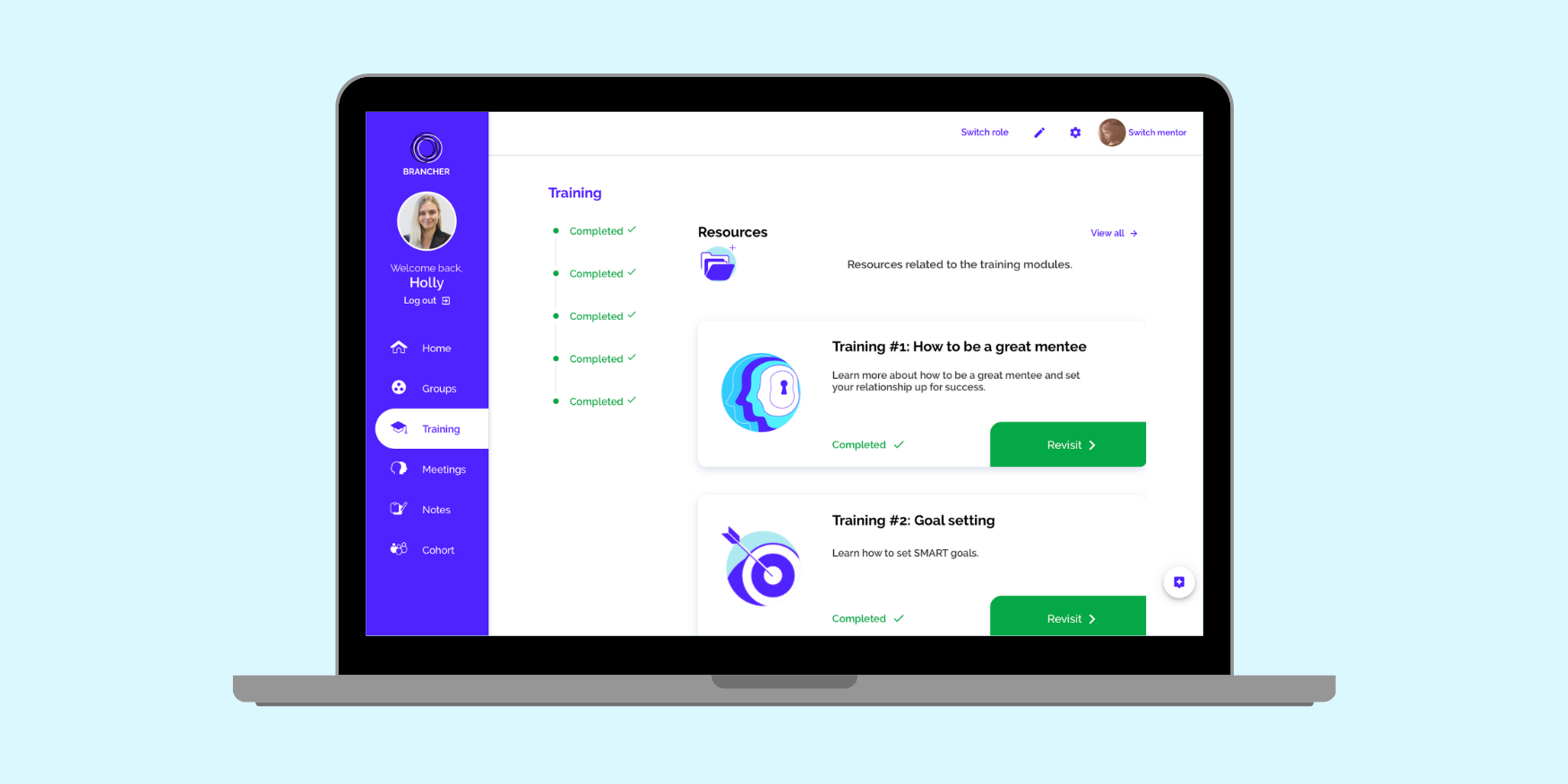
Quick answer: The mentoring software features that matter most are values-based matching (not just demographic filters), WCAG 2.2-compliant accessibility, ROI-focused reporting, scalable multi-program management, automated engagement nudges, Australian data hosting, and custom branding. Platforms that skip any of these tend to work fine for a 20-person pilot and then buckle once a program scales past one team.
If you're comparing mentoring platforms, this guide walks through each feature, why it matters, what to ask vendors, and what it actually looks like in a working program.
For a side-by-side look at named platforms, see our Top Mentoring Software roundup. If you're still building the case for a program internally, start with What is Mentoring: The Ultimate Mentoring Handbook.
In this guide
- How to prioritise features based on your organisation's goals
- Feature prioritisation matrix
- The 7 features to evaluate (with real program examples)
- Basic vs enterprise: what actually changes
- Mistakes HR teams make when evaluating mentoring software
- Frequently asked questions
Download our Mentoring Program Proposal Template
How to Prioritise Features Based on Your Organisation's Goals
Before comparing feature lists, get clear on what success looks like for your program. Are you trying to lift engagement, retain high-potential staff, or build a leadership pipeline? Your answer should decide which features are non-negotiable and which are nice-to-have.
A useful starting checklist:
- Align features to the outcome you're being asked to deliver, not just the outcome you'd like
- Prioritise configurability and data flexibility over a long feature list
- Choose a platform with reporting built in from day one, not bolted on later — proving impact gets harder to do retroactively
This matters more than it sounds. Globally, employee engagement fell to just 20% in 2025, down from 23% in 2022, and Gallup estimates the resulting productivity loss at around US$10 trillion a year. Mentoring programs are one of the more direct levers HR has to counter that, but only if the software behind them can actually prove it's working.
Feature Prioritisation Matrix
Here’s your buyer’s checklist. These are the features every mentoring platform should offer; especially if you're building for scale, compliance, and real outcomes.
| Feature | Must-Have | Nice-to-Have | Enterprise Ready |
|---|---|---|---|
| Values and skills-based matching | ✅ | ✅ | |
| WCAG 2.2 accessibility compliance | ✅ | ✅ | |
| ROI and engagement reporting | ✅ | ✅ | |
| Automated Nudges | ✅ | ✅ | |
| Australian data hosting | ✅ | ✅ | |
| Custom Branding | ✅ | ✅ | |
| Multi-Program Templates | ✅ | ✅ |
Want to see how this looks in an actual admin dashboard? Book a demo.
The 7 Features to Evaluate
1. Matching That Goes Beyond Demographics
Most platforms offer some form of matching. Many stop at checkboxes: role, department, location. That's a reasonable starting filter, but on its own it tends to produce pairs that are technically matched and practically mismatched.
What to ask a vendor: Does the algorithm weight skills, goals and personality or values alongside demographics? Is matching admin-driven, self-directed, or a hybrid of both?
What this looks like in practice: When the Australasian Corrosion Association ran a four-month mentoring pilot connecting early-career professionals with senior experts through Brancher's smart matching, the result was 100% match satisfaction and 100% recommendation, with 42% of mentees expecting a promotion off the back of it.
That's one program, not a universal guarantee, but it's the kind of outcome well-designed matching is meant to produce.
2. Accessibility and Compliance Built In
Accessibility isn't a nice-to-have layered on top of a mentoring platform. It's part of whether the platform actually works for everyone you're asking to use it.
The current standard is WCAG 2.2, published by the W3C in October 2023 and formalised as the international standard ISO/IEC 40500:2025. If a vendor is still quoting WCAG 2.1 conformance, ask when they last audited — 2.2 added nine new success criteria, several specifically addressing cognitive accessibility and mobile use. In government and public-sector procurement, this typically isn't optional.
What to ask a vendor: Can they produce a current WCAG 2.2 Level AA conformance report? Do they support screen readers, Easy Read content, and captioned sessions, not just keyboard navigation?
What this looks like in practice: Women With Disabilities Australia built a national mentoring model with Brancher combining values-based matching, shared lived experience, and accessibility features including screen reader compatibility, Easy Read content and captioned sessions. Over two years the program matched around 60 pairs and was later showcased at the United Nations Commission on the Status of Women.
3. ROI-Focused Reporting and Dashboards
You can't improve, or defend the budget for, what you can't measure. A basic CSV export at the end of a program isn't reporting, it's a post-mortem.
Look for a dashboard that shows matching quality, engagement trends and meeting frequency in real time, not just at program close.
What to ask a vendor: Can you see pair health during the program, or only after it? Does reporting map to metrics leadership actually cares about (retention, promotion rates, engagement scores)?
Why it matters beyond the demo: the Australian Human Resources Institute's Work Outlook research found 65% of Australian employers reporting skill shortages, while 78% had increased investment in employee training and development regardless. That's a lot of L&D spend under scrutiny — reporting is what lets you show it's working rather than just hoping it is.
4. Scalable Multi-Program Management
A platform that works beautifully for 20 people can fall over at 100, not because the matching gets worse, but because the admin overhead grows faster than the team managing it.
What to ask a vendor: Does scaling require more admin hours, or does the platform automate the parts that used to be manual (enrolment, self-directed matching, training)?
What this looks like in practice: Fletcher Building Australia needed to support a 100+ person high-potential talent community with a small L&OD team. The answer was a self-service model on Brancher: self-directed matching, built-in training, and automated nudges keeping pairs moving. Every participant reported increased confidence, new skills and stronger support, and 80% of pairs met six or more times.
5. Automated Nudges and Engagement Prompts
Even highly motivated participants forget to schedule sessions. Programs that rely on people remembering to check in tend to quietly lose momentum around week six or seven, well before anyone flags it as a problem.
What to ask a vendor: Are nudges behaviour-triggered (based on inactivity) or just a fixed weekly email? Does it integrate with the tools people already use, like Microsoft Teams?
The Fletcher Building example above is instructive here too: automated nudges were one of the specific levers credited with keeping 80% of pairs meeting six or more times, without adding to the L&OD team's workload.
6. Local Hosting and Data Compliance
If participant data is hosted offshore, that's not automatically a compliance breach, but it does trigger extra obligations. Under Australian Privacy Principle 8 (APP 8) of the Privacy Act 1988, an organisation disclosing personal information to an overseas recipient, including via an offshore-hosted cloud platform, must take reasonable steps to ensure that recipient handles the information in line with the APPs. If they don't, the disclosing organisation can be held accountable as though it had breached the APPs itself.
What to ask a vendor: Where is the data physically hosted? If offshore, what contractual safeguards are in place to meet APP 8?
Brancher hosts on Australian servers, which sidesteps this question entirely for government and enterprise procurement rather than requiring a case-by-case risk assessment.
7. Custom Branding and White Labelling
A mentoring platform that looks like a third-party tool creates friction participants notice, even if they can't articulate why. Full branding, not just a logo swap, tends to correlate with higher voluntary adoption.
What to ask a vendor: Can you customise the UI, emails and onboarding flow, or only the logo?
Basic vs Enterprise: What Actually Changes
Not every "must-have" feature above ships identically across every pricing tier, on any platform. Here's a realistic breakdown rather than a marketing one.
| Feature | Typical Basic Platform | Brancher Core | Brancher Enterprise |
|---|---|---|---|
| Matching | Manual or checkbox-only | Skills and values-based matching | Fully customisable matching logic |
| Accessibility (WCAG 2.1) | Rarely audited | WCAG 2.2-aligned | WCAG 2.2-aligned |
| Multi-Program Management | Manual | Standard templates | Multiple concurrent programs, outsourced program management available |
| Data hosting | Often offshore by default | Australian servers | Australian servers |
| Engagement Nudges | Email reminders only | Automated nudges | Automated nudges plus custom engagement strategy |
| Custom Branding | Logo swap only | Full UI and email branding | Full UI and email branding |
| Integrations | Limited | Standard | Enterprise SSO, Outlook/Teams integration |
| Support | Self-serve only | Self-serve | Dedicated customer success manager |
If you're weighing this up for your own organisation, our ROI of me ntoring guide walks through how to build the business case either way.
Mistakes HR Teams Make When Evaluating Mentoring Software
A features checklist only gets you so far. A few patterns worth avoiding:
- Buying for the pilot, not the scale-up. A platform that handles 20 enthusiastic volunteers well may not handle 200 people across three business units without a very different admin model.
- Treating accessibility as a compliance checkbox rather than a design principle. Retrofitting it later is harder and more expensive than starting with it.
- Skipping the offshore hosting question. It's an easy thing to forget to ask, and an uncomfortable thing to discover after data is already flowing overseas.
- Not asking what happens mid-program, only what happens at the end. Reporting that only appears in a final survey means problems get caught too late to fix.
- Assuming feature parity between pricing tiers. As the table above shows, "the platform has X feature" and "your plan includes X feature" aren't always the same sentence.
Ready to See These Features in Action?
None of these seven features individually make or break a mentoring program. What tends to matter is whether the gaps between them get discovered during evaluation or six months into a live program, when switching costs are much higher.
If you'd like a walkthrough of how Brancher handles matching, accessibility and reporting together, book a 15-minute session with our team.
And if you're still relying on spreadsheets and an intranet page, it's worth reading why intranet mentoring portals don't work before you evaluate software at all.
For templates to help scope your own requirements before you start vendor conversations, our Tools, Templates and Webinars page has a free Mentoring Program Proposal Template.
Frequently Asked Questions
What's the most important feature in mentoring software for enterprises?
Scalable program management paired with real-time reporting. Enterprise programs need to launch, track and optimise mentoring across multiple business units simultaneously, with data that can demonstrate ROI to leadership without a manual reporting exercise at program close.
Should I prioritise matching quality or reporting features?
They're not really separable. Reporting is how you find out whether your matching approach is actually working, and poor matching shows up in the reporting as low meeting frequency and early dropout. A platform that's strong in one but weak in the other will eventually be limited by the weaker one.
How do I know if a mentoring platform meets accessibility standards?
Ask for a current WCAG 2.2 Level AA conformance report, not a general accessibility statement. Also check for screen reader support, Easy Read content options, captioned video, and keyboard navigation specifically, since a platform can claim general accessibility without covering all of these.
Does it matter if mentoring software is hosted overseas?
It can. Under Australian Privacy Principle 8, disclosing personal information to an overseas host still makes the disclosing organisation accountable for how that data is handled. It's not an automatic dealbreaker, but it's worth confirming what safeguards are contractually in place before assuming offshore hosting is equivalent to local hosting.
Can a mentoring platform scale without adding admin work?
It should be able to, if scaling relies on automation (self-directed matching, automated nudges, templated program setup) rather than more manual review. If a vendor's answer to "how do we scale this to 200 people" involves more admin headcount, that's worth factoring into the total cost comparison.